

Work From a Camper Van Setup: Your Mobile Office Guide
A work from a camper van setup is the process of designing and equipping a van interior to function as a reliable, ergonomic mobile office that supports a full remote workday. Done right, it’s genuinely one of the most freeing ways to live and work. You get to park next to a mountain lake in the morning and wrap up your calls by the coast in the afternoon. But pulling it off takes more than a laptop and a good attitude. You need solid power, dependable internet, a workspace that doesn’t wreck your back, and a daily routine that actually sticks. This guide covers all of it.
What does a work from a camper van setup actually need?
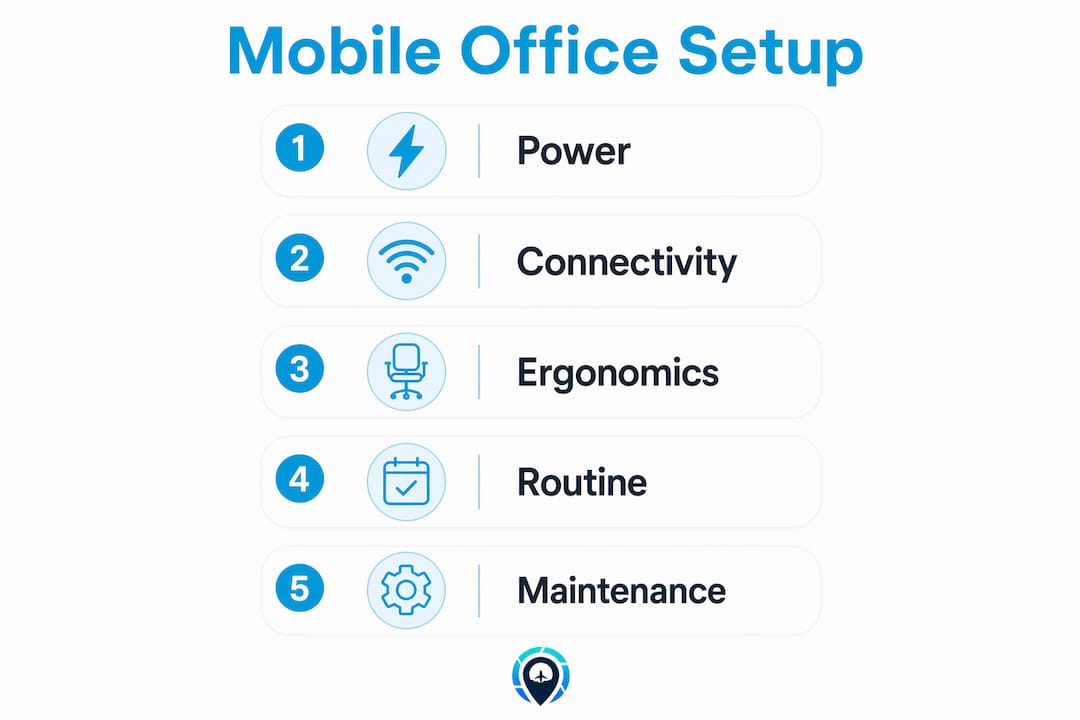
The core of any functional camper van workspace comes down to three systems: power, connectivity, and ergonomics. Get all three right and you have a mobile office that rivals a co-working space. Miss one and your workday falls apart fast. Most camper van digital nomads learn this the hard way after their first dead battery or dropped video call. The good news is that each system is well-understood, and the gear to build it has never been more accessible or affordable.
High-roof vans like the Mercedes Sprinter or Ram ProMaster are the preferred van choices for remote workers. Standing headroom reduces physical fatigue during 8+ hour workdays in ways that a low-ceiling cargo van simply cannot match. If you’re still choosing your vehicle, that detail alone is worth prioritizing.
How much power does a van office actually need?
Power is the foundation of any mobile office setup. Without a reliable energy system, nothing else matters. A professional off-grid setup requires 200–400Ah lithium batteries, 200–600W solar panels, and a 2000–3000W pure sine wave inverter to run a full 8-hour workday. That combination handles a laptop, external monitor, router, lighting, and phone charging without breaking a sweat.
Here’s a quick breakdown of what each component does:
| Component | Role | Typical Spec |
|---|---|---|
| Lithium Battery Bank | Stores energy for use day and night | 200–400Ah |
| Solar Panels | Recharges batteries during daylight | 200–600W |
| Pure Sine Wave Inverter | Powers AC devices from DC battery | 2000–3000W |
| MPPT Solar Controller | Maximizes solar charging efficiency | Sized to panel array |
The inverter type matters more than most people realize. A pure sine wave inverter protects sensitive electronics like laptops and monitors. Modified sine wave inverters are cheaper but can damage gear over time. Don’t cut corners there.
Typical continuous power draw for a mobile office setup ranges from 50–150W. That means your battery sizing should be based on a full-day energy audit, not just the biggest pack you can afford. Add up the watt-hours for every device you run, multiply by your workday length, and size your battery bank to cover that total with 20% headroom.
Alternator charging and shore power hookups serve as great backup sources. When you’re driving between locations, your alternator tops up the batteries automatically. Shore power at campgrounds gives you a full recharge overnight. Neither replaces a solid solar setup, but both reduce the pressure on your panels during cloudy stretches.
Pro Tip: Install a battery monitor like the Victron BMV-712 so you can see your state of charge in real time. Guessing your battery level is how people end up with dead laptops mid-call.
How do you get reliable internet working remotely in a van?
Internet is the single biggest anxiety for anyone working remotely in a van, and for good reason. A dropped video call with a client is stressful. A failed file upload right before a deadline is worse. The solution is layered connectivity, not a single point of failure.

Stable connectivity requires a multi-SIM cellular router with at least two different carriers and roof-mounted external antennas. Here’s why that matters: van metal chassis act like Faraday cages, and internal hotspot placement is nearly useless without a roof-mounted omnidirectional antenna wired directly to your router. That antenna pulls in signal your phone never could.
A solid van connectivity setup includes:
- Dual-SIM cellular router (brands like Pepwave or GL.iNet handle this well) pulling from two carriers simultaneously
- Roof-mounted omnidirectional antenna wired directly to the router, not relying on internal signal
- Starlink satellite internet as a layered backup option for remote locations where cellular coverage disappears
- A running list of backup WiFi spots including libraries, coffee shops, and co-working spaces near your planned routes
Budget roughly $130–$230 per month for connectivity in the US. That covers two cellular data plans and leaves room for occasional Starlink usage. It sounds like a lot until you compare it to a co-working space membership in any major city.
Video calls need at least 3–5Mbps upload to stay stable. Test your speeds with fast.com before any important call, not during it. Knowing your connection quality in advance lets you switch to a backup spot or reschedule if needed.
Pro Tip: Park near the edge of a campground or parking area rather than deep inside. Fewer obstructions between your antenna and the nearest cell tower makes a real difference in signal quality.

What ergonomic setup keeps you comfortable during long work sessions?
Comfort in a van workspace isn’t a luxury. It’s a productivity requirement. Sitting hunched over a laptop on a bench seat for six hours will leave you sore and distracted. A proper ergonomic setup prevents that entirely.
The Roost R2 laptop stand is a go-to recommendation for van workers. It weighs just 5.7 oz and adjusts from 6 to 16 inches in height, raising your screen to eye level without taking up meaningful space. Pair it with an external keyboard and mouse to keep your elbows at a 90-degree bend. That combination alone eliminates most neck and shoulder strain.
For monitor placement, quick-release VESA mounts are the right call. Fixed monitor arms rattle and crack during transit. A quick-release system lets you stow the monitor safely before driving and reinstall it in seconds when you park. It’s a small detail that saves you from expensive repairs.
Layout design matters just as much as individual gear choices. Swivel seats that rotate from driving position to desk-facing position are one of the smartest van conversions for remote workers. Pull-out tables that slide under a bench when not in use keep your living space functional. Vertical storage for camera gear, cables, and supplies keeps the floor clear and the workspace organized.
The Vansmith’s remote work van design philosophy puts ergonomics at the center of every build decision. That’s the right approach. A van that looks great but forces you to hunch over a tiny surface isn’t a mobile office. It’s just a van.
Pro Tip: Use a small folding footrest under your desk surface. It takes up almost no space but dramatically improves posture during long seated sessions.
How do you build a daily routine that actually works in a van?
Routine is what separates productive van workers from people who struggle to get anything done. Viewing your workspace as a repeatable system rather than static furniture is the mindset shift that makes everything click. The goal is a setup and reset process so smooth it becomes automatic.
Here’s a repeatable workday system that works well:
- Arrive and assess — Park in your chosen spot, check signal strength with fast.com , and confirm you have enough battery for the day.
- Set up your workspace — Extend the pull-out table, mount the monitor, connect the keyboard and mouse, and raise the Roost R2 stand.
- Test connectivity — Run a quick speed test and confirm your router is pulling from the strongest available carrier.
- Work your scheduled blocks — Schedule video calls during your strongest signal window, usually mid-morning when you’ve confirmed your setup is stable.
- Reset before driving — Stow the monitor on its quick-release mount, fold the table, bundle cables, and return the van to travel mode.
The reset step is the one most people skip when they’re tired. Don’t. A van that’s half-office and half-living space is neither. Keeping the reset routine under five minutes makes it easy to stay consistent.
Plan your parking locations around connectivity, not just scenery. Knowing two or three reliable backup work spots near your route means you’re never scrambling. Travelingportrait’s camper van rental guide for Iceland is a great example of how location planning and van life logistics go hand in hand.
Pro Tip: Keep a small labeled pouch with your most-used cables and adapters. When everything has a home, setup takes two minutes instead of ten.
Key takeaways
A functional van office requires three systems working together: reliable power, layered internet connectivity, and an ergonomic workspace with a repeatable daily routine.

| Point | Details |
|---|---|
| Power system sizing | Use 200–400Ah lithium batteries and 200–600W solar panels sized to your actual daily watt-hour needs. |
| Layered connectivity | Run a dual-SIM router with roof-mounted antennas and keep Starlink as a backup for remote locations. |
| Ergonomic gear | A Roost R2 stand, external keyboard, and quick-release VESA monitor mount prevent strain and transit damage. |
| Repeatable daily routine | A five-step setup and reset system keeps your van functional as both a living space and a mobile office. |
| Van selection matters | High-roof vans like the Mercedes Sprinter or Ram ProMaster reduce fatigue during long workdays. |
What i’ve learned after time in a van office
I’ll be honest with you. The first few weeks of working from a van are humbling. You think you’ve planned everything, and then you park somewhere gorgeous with zero cell signal and a half-charged battery. It’s a little gutting the first time. But here’s what I’ve found: the learning curve is real, and it’s also finite.
The biggest shift for me was treating the whole setup as a system rather than a collection of gear. Once I stopped thinking “I need a better router” and started thinking “my connectivity system needs a backup layer,” everything got cleaner. Same with power. An energy audit felt tedious until I realized it was the reason I stopped running out of juice at 3pm.
The gear that made the biggest difference day-to-day wasn’t the most expensive stuff. The Roost R2 stand, a Victron battery monitor, and a labeled cable pouch changed my mornings more than any big-ticket upgrade. Small friction adds up fast in a small space.
My honest advice: embrace the backup plan as a feature, not a failure. Knowing your nearest library with WiFi isn’t admitting defeat. It’s just good workflow. The van life work setup rewards people who stay flexible and prepared, and it punishes people who assume everything will go perfectly. Plan for imperfection and you’ll be surprised how well it all works.
— Justin
Ready to take your van life further?
If you’re fired up about building your mobile office and want to pair it with some seriously incredible destinations, Travelingportrait has you covered. Whether you’re dreaming of working from the coast of Portugal, a mountain pass in Japan, or the wide-open roads of North America, the destination guides on Travelingportrait give you the practical detail you need to actually plan it.
Check out the travel gear collection for curated picks that complement van life and remote work, from compact camera setups to the best portable accessories for your mobile office. If you’re just getting started with the whole van life and remote work combination, the Start Here page is the best first stop. And if you want to explore destinations worth parking your van near, browse Europe , Asia , and North America for inspiration that goes way beyond a Google search.
FAQ
What is the best van for remote work?
High-roof vans like the Mercedes Sprinter and Ram ProMaster are the top choices for remote workers. Standing headroom reduces fatigue during long workdays and gives you more layout flexibility for a proper desk setup.
How much does a van office power system cost?
A complete off-grid power setup with 200–400Ah lithium batteries, 200–600W solar, and a pure sine wave inverter typically runs $3,000–$8,000 depending on component brands. Bundled solar kits can reduce cost and simplify installation.
How do van workers stay connected without WiFi?
A dual-SIM cellular router with roof-mounted external antennas covers most locations. Adding Starlink as a satellite backup handles remote areas where cellular coverage drops out entirely.
Can you really work a full day from a camper van?
Yes. With a properly sized battery bank and reliable internet, a full 8-hour remote workday is completely achievable. The key is conducting an energy audit and building a repeatable setup routine before you rely on it for real work.
How do i set up ergonomics in a small van space?
Use a foldable laptop stand like the Roost R2 paired with an external keyboard and mouse to keep your screen at eye level. Swivel seats and pull-out tables let you switch between living and working modes without sacrificing comfort in either.
Recommended
Other Posts You Might Like